
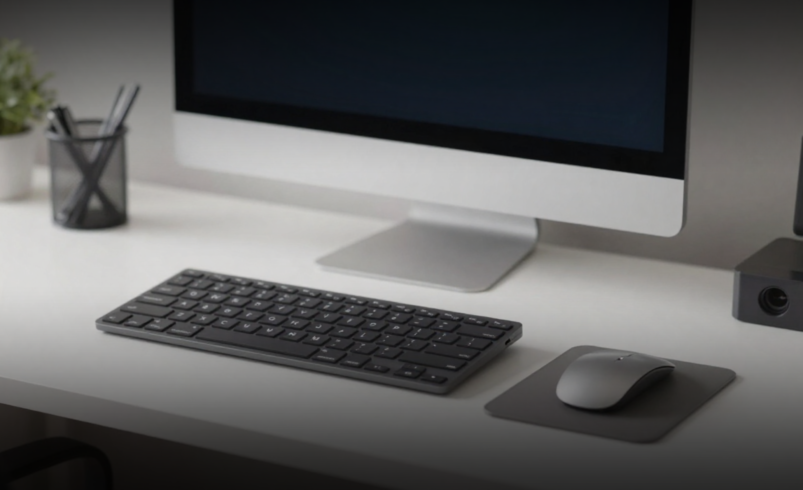

The leap into digital-first operations is a defining moment for any company, whether it’s a growing startup, a mid-sized enterprise, or a multinational firm. As we move through 2026, the business landscape is more competitive than ever. Selecting the right accessories is not just about convenience; it’s about investing in tools that act as long term partners in productivity and growth.
According to Gartner’s 2024 forecast, global IT spending reached $5.26 trillion, with enterprise hardware and accessories representing billions in annual procurement decisions. For procurement managers, this scale underscores a critical reality: accessory choices directly impact infrastructure ROI, employee productivity, and total cost of ownership.
The Business Technology Landscape
The global market for IT hardware and accessories has undergone a massive transformation. Businesses are rapidly moving toward “Smart Offices” and hybrid work environments, where every accessory must integrate seamlessly with cloud platforms, IoT systems, and collaborative software.
This means that the accessories you choose today whether ergonomic input devices, docking stations, or advanced monitors must be capable of supporting digital workflows and remote connectivity. Failing to account for compatibility and scalability can lead to costly downtime and inefficiencies.
Defining Operational Needs
The most common mistake in procurement is buying “too much accessory” for a simple task or “too little” for a complex one. Start by auditing your intended output and workflow.
For example, a design firm may prioritise high-resolution monitors and precision input devices, while a logistics company may need rugged laptops and reliable networking equipment. The National Institute of Standards and Technology (NIST) emphasises that technology must be matched to the application; what works for a creative studio may fail in a data-heavy financial environment.
Technical Parameters That Matter
Accessories are more than peripherals; they define the limits of what your team can achieve. Key parameters include:
- Storage Devices: Portable SSDs and NAS systems provide secure, scalable storage with faster access speeds.
- Input Tools: Ergonomic keyboards and mice reduce fatigue, improving productivity during long working hours.
- Networking Equipment: Routers, switches, and Wi-Fi extenders ensure seamless connectivity, critical for remote collaboration.
- Docking Stations: Multifunctional hubs streamline workflows by connecting multiple devices at once.
- Monitors: High-resolution displays improve accuracy in design, analytics, and reporting.
Each of these systems directly impacts daily throughput and employee satisfaction. For instance, advanced docking stations can reduce setup time by nearly 40%, freeing employees to focus on core tasks.
For businesses seeking reliable solutions, Computer Accessories suppliers in Pepagora provide a wide range of options tailored to both small-scale and large-scale operations.
Financial Considerations
Budgeting for accessories is similar to budgeting for machinery; the purchase price is only part of the equation. You must account for the Total Cost of Ownership (TCO), which includes maintenance, upgrades, and replacement cycles.
- Entry Level Accessories: Affordable but limited in durability, suitable for startups testing workflows.
- Mid Range Solutions: Balance of cost and performance, ideal for SMEs scaling operations.
- High End Systems: Specialized accessories designed for industries where precision and reliability are non-negotiable.
Operating expenses also matter. High-quality accessories such as ergonomic chairs, advanced monitors, or enterprise-grade routers may cost more upfront but reduce long-term strain, downtime, and replacement costs.
Integration with Digital Workflows
In 2026, the “Digital Thread” connects design, communication, and execution. Accessories must integrate seamlessly with cloud platforms, collaboration tools, and security systems.
For example:
- Cloud Ready Storage ensures files are accessible across devices.
- Collaboration Friendly Headsets improve communication in hybrid teams.
- Secure Docking Stations support encrypted connections, protecting sensitive data.
Before finalizing purchases, verify compatibility with your existing software ecosystem. Failure to do so can result in inefficiencies and costly delays.
Infrastructure and Workplace Readiness
Accessories must align with your physical and digital infrastructure. Consider:
- Power Requirements: High-performance devices may require upgraded power systems.
- Space Optimization: Docking stations and compact monitors reduce clutter in smaller offices.
- Durability: Rugged accessories are essential for industries with demanding environments.
Ignoring these factors can lead to premature wear, inefficiency, or even safety risks.
Partnering with Reliable Suppliers
The best accessory is only as good as the support behind it. When evaluating suppliers, ask:
- Do they provide warranty and after-sales support?
- How quickly can they deliver replacements or upgrades?
- Do they offer training or guidance for integration?
Pepagora helps businesses to compare suppliers and source verified products. This ensures you aren’t just buying accessories; you’re entering into a reliable partnership.
Future-Proofing for Industry Trends
As we look toward the end of the decade, accessories are evolving to meet Industry 4.0 standards. Features to consider include:
- AI-Integrated Devices: Predict usage patterns and optimize performance.
- Eco-Friendly Designs: Energy-efficient and recyclable materials.
- Blockchain Transparency: Ensures credibility in sourcing and procurement.
- Hybrid Work Solutions: Portable accessories that support flexible environments.
By investing in these features now, businesses prevent obsolescence and stay ahead of competitors adopting more efficient workflows.
FAQs
They enhance efficiency, reduce downtime, and improve employee comfort. Accessories like ergonomic keyboards, high-speed storage, and advanced networking tools make daily operations smoother and more reliable.
By automating routine tasks and improving workflow efficiency, accessories lower labour costs and minimize errors. This helps SMEs achieve better returns on investment with fewer resources.
Pepagora connects businesses with verified suppliers, offering a wide range of reliable Computer Accessories tailored to different operational needs.
High-speed storage devices, ergonomic input tools, networking equipment, docking stations, and advanced monitors are among the most widely used.
AI-driven devices, sustainable designs, cloud-first integration, blockchain transparency, and hybrid work solutions are leading the way in redefining business technology.

He specializes in building SaaS and cloud-native applications that deliver scalable, business-oriented software solutions across industries.
Sharjeel focuses on translating technical expertise into practical insights for digital innovation. With a strong emphasis on performance, scalability, and usability, he aims to support readers in understanding modern software technologies and solutions through well-structured and informative content.